
Best Open Source CLI Coding Agents in 2026
Artificial Intelligence coding agents have rapidly transformed software development workflows in 2026. What began as simple code completion tools has evolved into intelligent terminal-based agents capable of editing repositories, executing commands, debugging applications, managing workflows, and automating development tasks directly from the command line.
Developers are increasingly moving toward open-source AI coding agents because they provide something proprietary tools often cannot: flexibility, transparency, local model support, and long-term control.
This blog explores the best open-source CLI coding agents in 2026, their strengths, tradeoffs, and how to choose the right one for your workflow.
Why Open Source CLI Coding Agents Matter
A CLI coding agent is more than just an AI model.
The model handles reasoning and code generation, while the harness manages:
|
Open-source harnesses separate the model from the workflow engine. That means developers can:
|
In 2026, this flexibility became increasingly important after major ecosystem changes including the Gemini CLI shutdown announcement and multiple project governance shifts.
Comparison Table — Best Open Source CLI Coding Agents
CLI Agent | GitHub Stars | License | Local Models | Best For |
OpenCode | ~165k | MIT | Yes | Best overall provider-agnostic coding agent |
OpenAI Codex CLI | ~85k | Apache-2.0 | Yes | Secure sandboxed coding workflows |
OpenHands | ~75k | MIT | Yes | Autonomous CI/CD execution |
Cline | ~62k | Apache-2.0 | Yes | IDE + CLI integrated workflows |
Pi | ~54k | MIT | Yes | Lightweight hackable AI harness |
Goose | ~46k | Apache-2.0 | Yes | General automation beyond coding |
Aider | ~45k | Apache-2.0 | Yes | Git-native AI pair programming |
1. OpenCode
OpenCode is currently the largest and most active open-source coding agent ecosystem.

It became the default open-source alternative to proprietary coding tools because of its:
|
OpenCode works with:
One of its standout features is the split between:
|
Strengths
|
Tradeoffs
|
Best For
Developers wanting the safest long-term open-source default.
2. OpenAI Codex CLI
OpenAI Codex CLI is open source under Apache-2.0 and focuses heavily on sandboxed execution.

Its biggest differentiator is safety:
|
Although optimized for OpenAI models, it also supports local models through Ollama.
Strengths
|
Tradeoffs
|
Best For
Teams prioritizing controlled automation.
3. OpenHands
OpenHands focuses on autonomous software engineering workflows.

It can:
|
This makes it one of the strongest options for unattended AI execution.
Strengths
|
Tradeoffs
|
Best For
Engineering teams building autonomous AI pipelines.
4. Cline
Cline evolved from a VS Code extension into a full AI development ecosystem
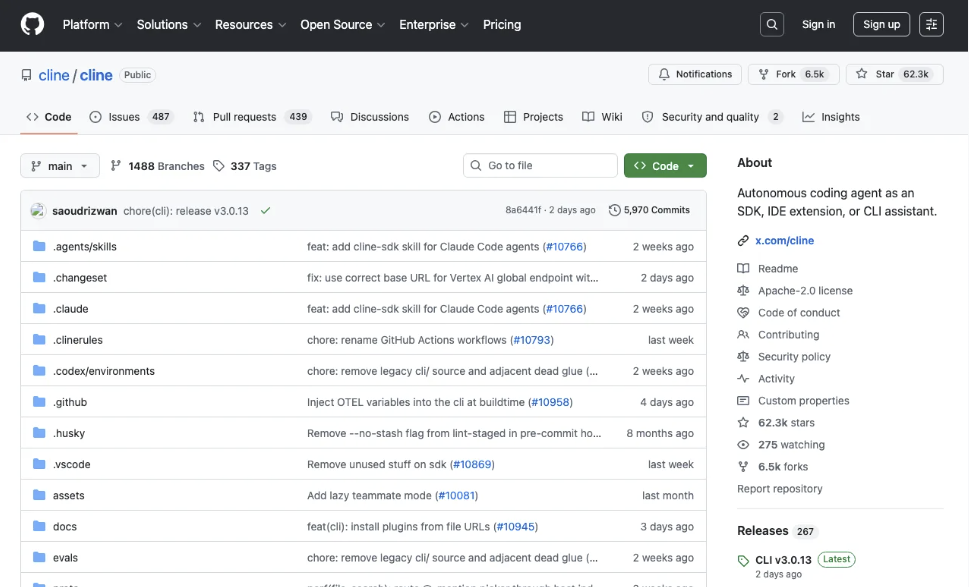
supporting:
|
Its flexibility across environments makes it attractive for larger engineering teams.
Strengths
|
Tradeoffs
|
Best For
Teams managing multi-agent development workflows.
5. Pi
Pi became one of the most discussed AI coding projects of 2026.

Built by Armin Ronacher and Mario Zechner, Pi focuses on simplicity and token efficiency.
Its standout innovation is “lazy skills,” where instructions load only when required instead of consuming massive system prompts upfront.
Strengths
|
Tradeoffs
|
Best For
Developers wanting a minimal and customizable AI harness.
6. Goose
Goose is broader than a traditional coding agent.

It supports:
|
In 2026, Goose moved under Linux Foundation governance, improving long-term neutrality.
Strengths
|
Tradeoffs
|
Best For
Users wanting broader AI automation beyond software development.
7. Aider
Aider remains one of the best Git-native AI coding assistants.

It focuses on:
|
Strengths
|
Tradeoffs
|
Best For
Developers who prioritize disciplined Git workflows.
Conclusion
Open-source CLI coding agents became foundational developer infrastructure in 2026.
For most developers:
|
The biggest lesson from 2026 is simple:
Do not choose tools only based on popularity.
Always evaluate:
|
Open-source flexibility is what protects your workflow when ecosystems evolve rapidly.


Comments